Microstep Dev Diary — Day 4: Connecting Expo Frontend with Vercel API
Today’s Progress: Connecting Frontend and Backend
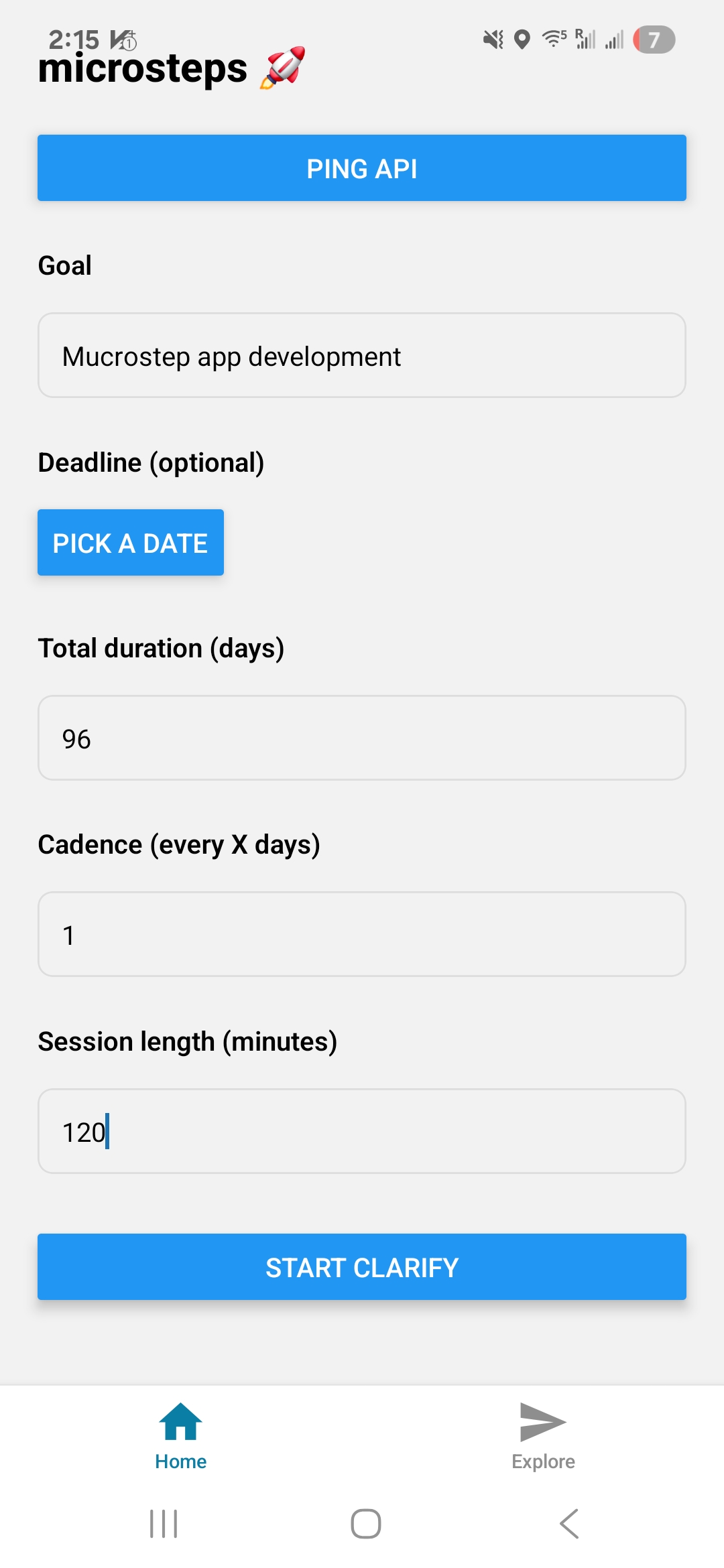
Today I focused on connecting the frontend (Expo React Native) with the backend API deployed on Vercel. At first, the connection worked, but as I kept modifying the code, it broke again.
The goal was to enable users to input a goal and then run a clarification flow powered by ChatGPT. It turned out to be harder than expected, but I also believe this is one of the most challenging parts of the project. I’ll take it step by step.
What I did today:
Deployed API endpoints on Vercel (
/api/ping,/api/clarify,/api/decompose)Integrated the API into the Expo app so that users can:
Use a Ping button to check the server connection
Start a clarify flow after entering a goal (3 questions with multiple-choice options)
Day 2: Expo 프론트엔드와 Vercel API 연결하기
오늘은 프론트엔드(Expo React Native)와 백엔드 API(Vercel 배포)를 실제로 연결하는 데 집중했다. 처음에는 연결에 성공했지만, 코드를 수정하다 보니 다시 연결이 끊어지는 문제가 생겼다.
이번 목표는 사용자가 목표를 입력한 뒤 ChatGPT와 Clarify 과정을 거쳐 실행 계획을 세울 수 있도록 하는 것이었는데, 생각보다 쉽지 않았다. 그래도 이 부분이 프로젝트에서 가장 어려운 부분일 거라고 생각하면서 천천히 나아가 보려 한다.
오늘 한 일
Vercel에 API 엔드포인트 배포 (
/api/ping,/api/clarify,/api/decompose)Expo 앱에 API 연동 → 사용자가:
Ping 버튼으로 서버 연결 확인
목표 입력 후 clarify 흐름 시작 (질문 3개, 선택지 제공)